01
Claims system included
We provide the EHR and the claims system as a single product. Claim creation, AI claim review, and output of UKE files for billing are supported.



The claims system and the EHR, rebuilt as a single product. A next-generation EHR for clinics, where AI is part of every step from care and charting to billing.
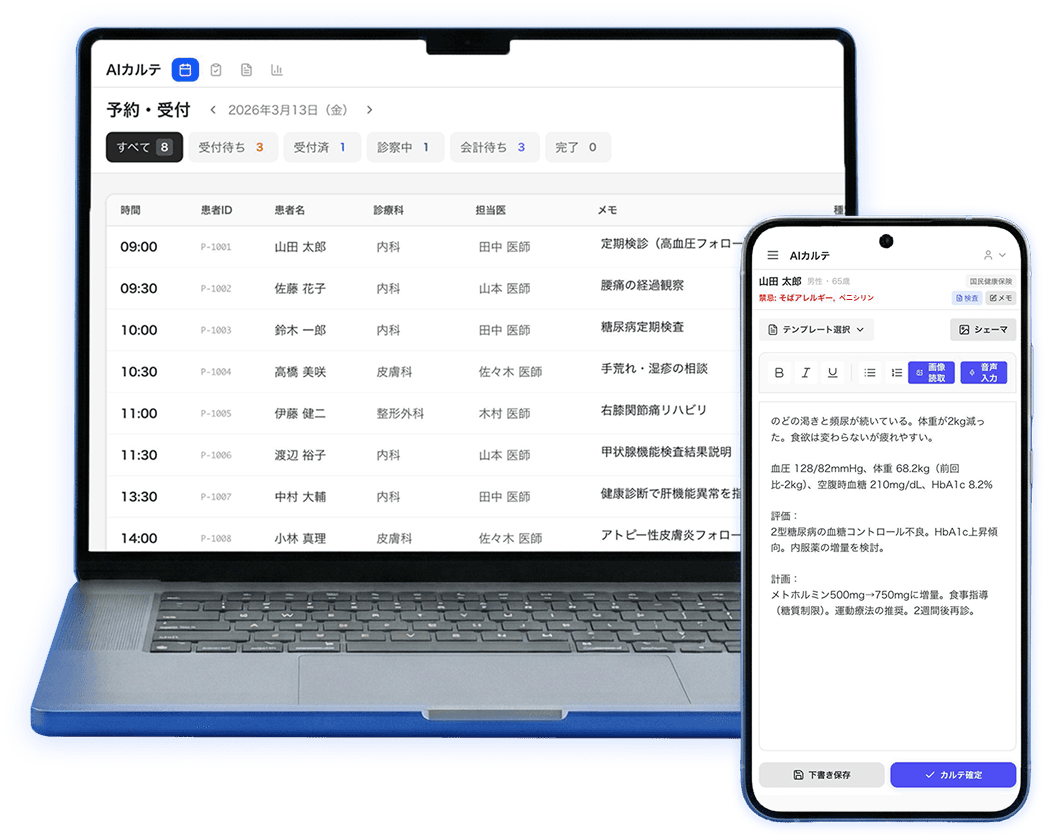
* Screens are for illustration.
Chapter 1
AI Karte is a next-generation, AI-native EHR built for clinics and medical corporations. Its defining feature is that the claims system and the EHR are not two separate systems: they have been rebuilt as one product.
Until now, EHRs have usually been designed with AI features added on top later. AI Karte was designed from scratch, from its data structures and user experience to its integration interfaces, on the premise that AI takes part naturally in every step of care, records, and billing.
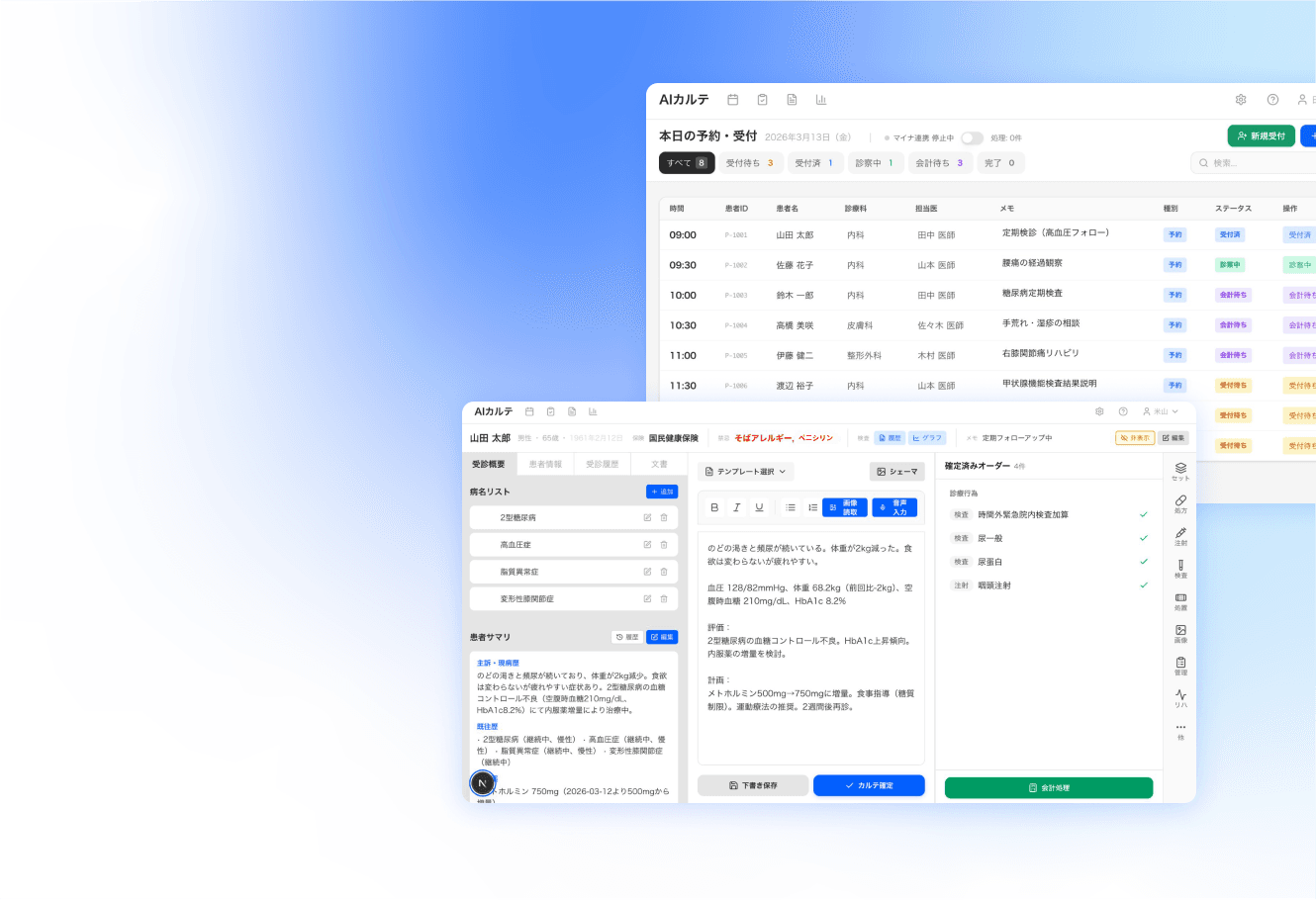
* Screens are for illustration.
Chapter 1 / 5 PILLARS
Five pillars of the product. The thinking behind the design is explained in more detail in the 3 strengths that follow.
We provide the EHR and the claims system as a single product. Claim creation, AI claim review, and output of UKE files for billing are supported.
It can be used in a web browser, including from outside the clinic or on a smartphone. A desktop app is also available for in-clinic use. Data is stored in Japan (AWS Tokyo Region) and isolated per medical institution.
Just speak, and AI drafts SOAP charts, referral letters, and more. Healthcare professionals make the final decision.
Two-factor authentication is required for all staff by default, with authenticator app support already available. Designed in line with the 3 Ministries, 2 Guidelines, with an audit log of every operation.
Supports an OAuth2 gateway, webhooks, and MCP. Examination images can be imported into the chart and managed there. We will confirm connectivity with examination devices for each model at onboarding and advise you accordingly. Filing systems are also supported.
Chapter 1 / Key features
The three ideas at the core of AI Karte's design.
Clinical records, prescriptions, and billing data are held in a structure AI can work with. AI is part of the design from the start, not added on later. We are building in 23 AI assist functions (including some in development), such as diagnosis suggestions and document drafting, as each one becomes ready.
Claims functions and the EHR, usually sold as separate products, are integrated into a single architecture. This removes, by design, the double entry and mismatches between clinical records and billing data.
AI Karte is not a closed system. It is built so it can connect safely to other systems and outside AI services when needed, letting each clinic combine the AI and business systems that fit its own policies.
Technical note: supports an OAuth2 gateway, webhooks, and an MCP (Model Context Protocol) server. A FHIR gateway is planned.
Chapter 1 / Product principles
Principle 1
Most work should come down to viewing, checking, and confirming data, making full use of voice input and automatic document drafting.
Principle 2
Clinics can choose existing third-party products and build them in without paying for custom development each time.
Principle 3
We aim for software that analyzes data in real time and helps clinics run better.
Principle 4
Designed so clinics can easily use outside resources such as unstaffed reception, remote medical office work, claims outsourcing, management consulting, and group management.
Chapter 2
Charts, booking, billing, and claims in one system. Everything a clinic needs to run.
Feature 01 — Reception and booking
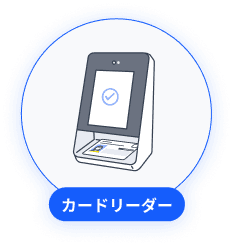
AI Karte connects with the face-recognition card readers used for Japan's My Number health insurance cards and automates check-in. In-person and telemedicine bookings are managed in one place. Search by patient name, phone number, or patient ID, and register new patients on the spot.
* My Number card integration is available in the desktop edition only. Online eligibility verification and patient matching are in development (see the feature list).
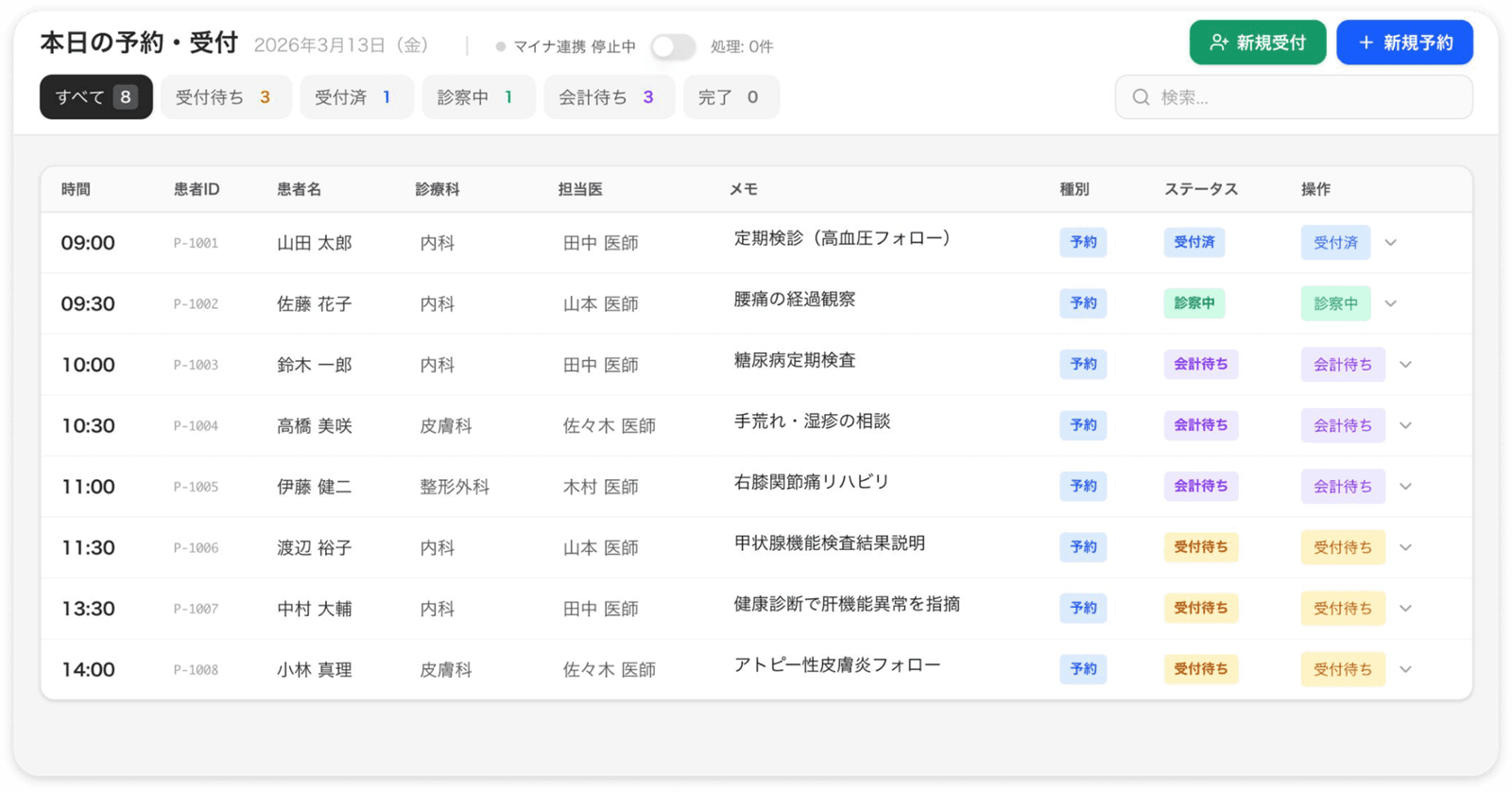
* Screens are for illustration.
Feature 02 — Charting by voice
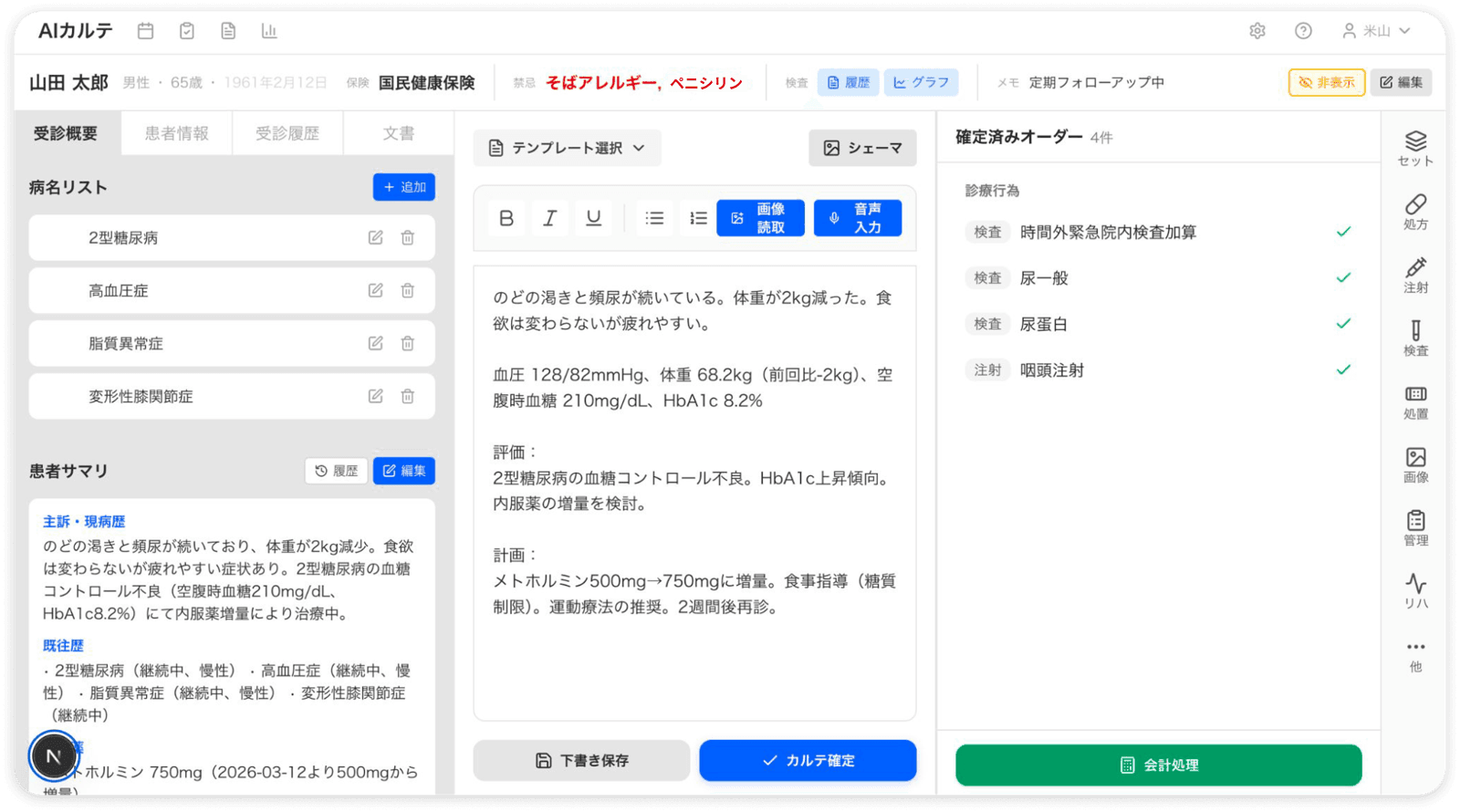
Just speak, and AI organizes the visit and records it as a chart. Frequently used text can be saved as templates to keep typing to a minimum. Web questionnaires and paper forms captured by camera are also digitized automatically.
* Screens are for illustration.
Feature 03 — Order entry
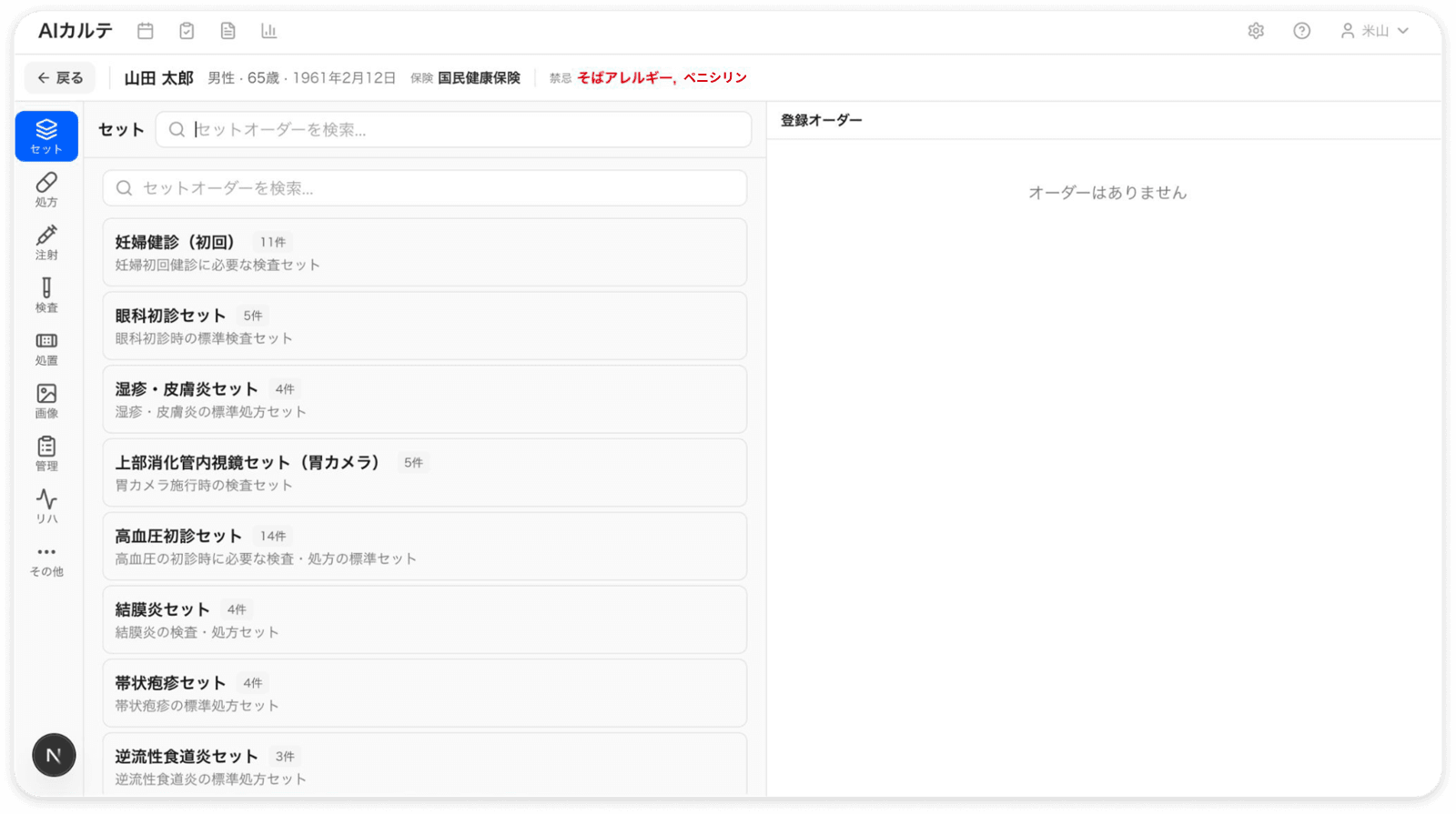
Register set orders to enter tests, prescriptions, and procedures in one click.
* Screens are for illustration.
Feature 04 — Documents and templates
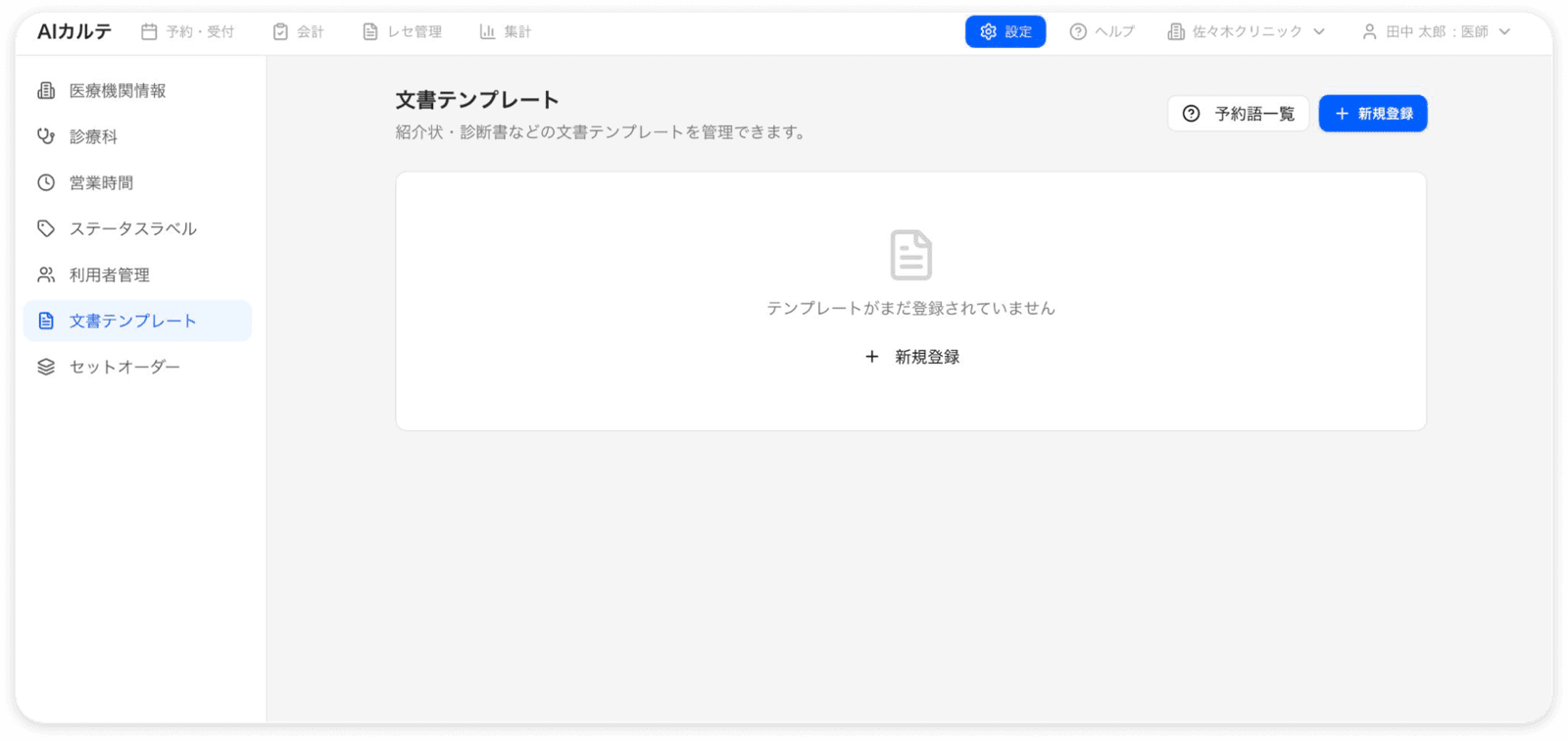
AI drafts referral letters and other clinical documents from patient information. The physician reviews and edits the draft before it is issued. With registered templates, documents keep the clinic's own wording and format while filling in patient details.
* Screens are for illustration.
Feature 05 — Claims creation and checks
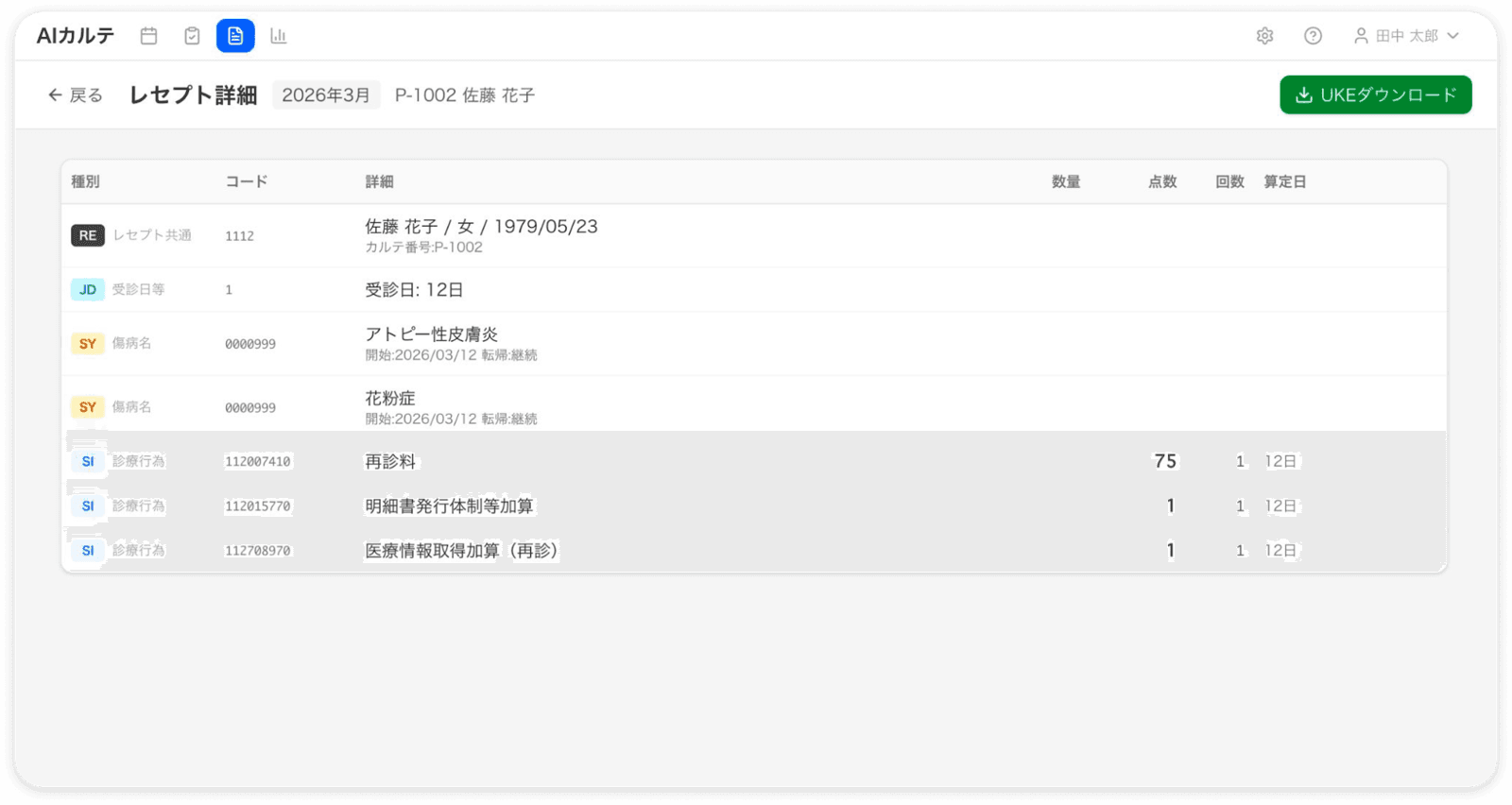
From generating review files and UKE files for billing to downloading them in bulk, claims are handled in one screen. You can also see claim counts and insurance types at a glance.
* Claim creation, AI claim review, and output of UKE files for billing are already available.
* Screens are for illustration.
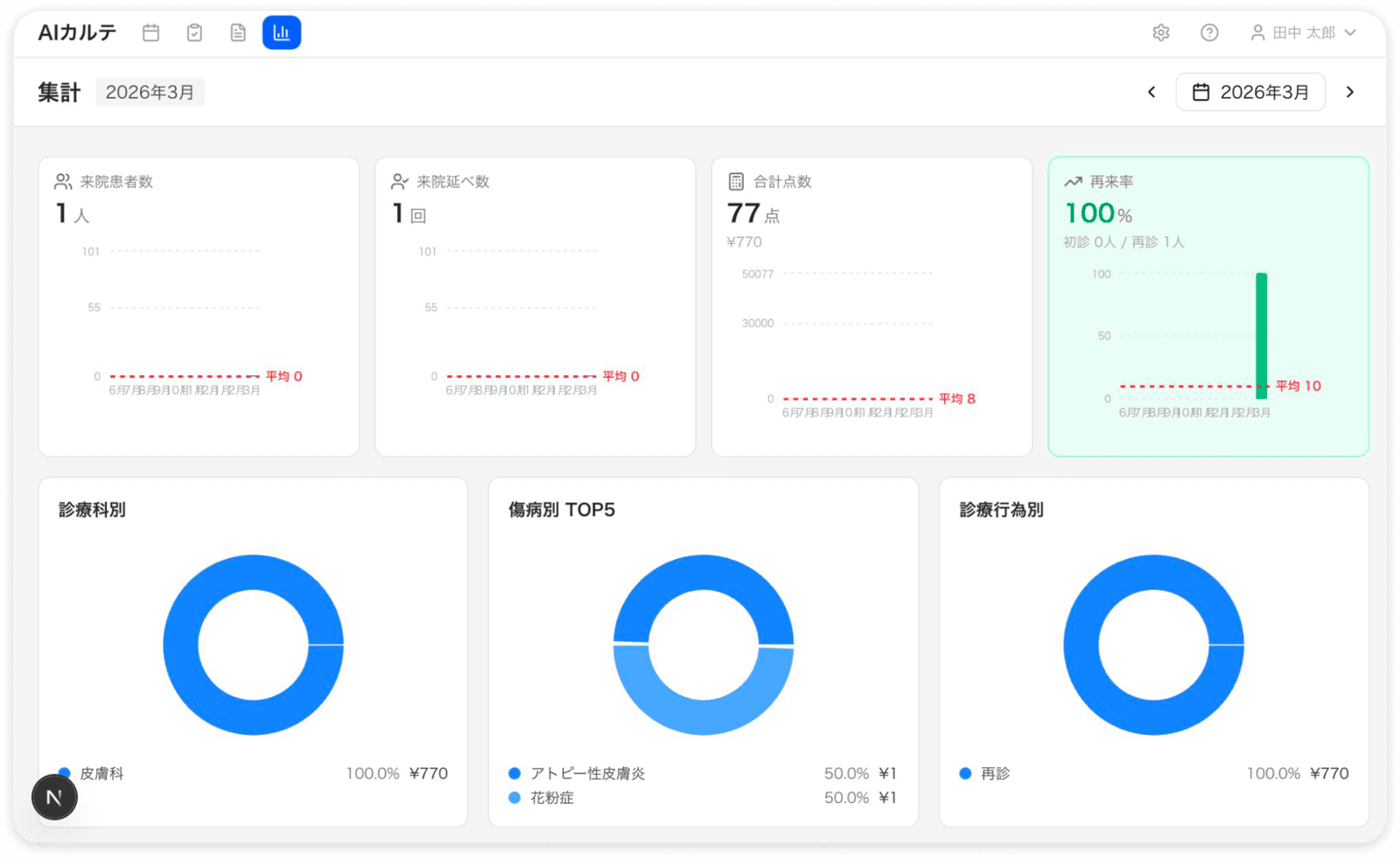
Feature 06 — Practice analytics
From visits to revenue per patient, clinic indicators are visualized. Monthly trends and patient attributes support decisions based on numbers.
* Screens are for illustration.
Chapter 2 / Feature categories
Charts, booking, orders, claims, AI, surgery, home visits, telemedicine, integrations, and audit, all in one product.
SOAP notes / AI voice input / chart summaries / past chart reference / image findings and schema diagrams / real-time co-editing
Booking calendar / slot management by patient type / public online booking page / reception numbering by channel / AI next-visit suggestions
Drug, lab, and injection orders / order sets / dose-first prescription entry / AI dose safety check / prescription PDF
Referral letters, certificates, consent forms / import Excel and Word forms as-is / automatic variable filling / structured template editing
Automatic fee calculation engine / bundling, exclusion, and frequency-limit checks / public expense and medical assistance / out-of-pocket caps / receivables
Claim checking for the FY2026 fee revision / clinic-specific rules / AI review / UKE import and export / returned claims and resubmission
Diagnosis suggestions / differential diagnosis / auto-drafted charts / prescription safety check / document drafting, 23 functions in total
Surgery slot management / scheduling from open orders / pre-op assessment and consent / operative records / surgery-to-billing linkage
Visit site master / schedules by overall, physician, and facility / bulk repeat orders / batch prescription printing
Video calls / live transcription / online consent / notifications via LINE / billing linkage
OAuth2 gateway / webhooks / MCP server / Examination images can be imported into the chart (device connectivity confirmed per model at onboarding) / HAPI FHIR (support planned) / Electron desktop
Staff and permissions / department and physician masters / asset register / internal notices / fee schedule master
Audit logs on every operation / access logs / passkey as a second factor / tamper-proof safety audit / full multi-tenant isolation
Ophthalmology exam entry, axial length and related records, and cataract pathways / Orthopedics / Specialty profile delivery and application / Filing system support
Chapter 3
Protecting patient data comes first, and we follow the standards for handling medical information safely. Because we work with AI, we draw clear lines in the design around how far data can reach.
Cloud services that handle medical information in Japan must comply with the "3 Ministries, 2 Guidelines" set by the Ministry of Internal Affairs and Communications, the Ministry of Economy, Trade and Industry, and the Ministry of Health, Labour and Welfare. AI Karte is designed and operated in line with their requirements, with no extra cost or procedure for compliance.
* Compliance with the national standard EHR requirements (certified EHR) is planned for the first half of 2027. Please contact us for the latest status.
Data is logically isolated per medical institution. Staff who work at more than one facility are supported, but they cannot reach another clinic's data.
Reads, creates, updates, and deletes are recorded with the actor, time, and values before and after the change. Logins, logouts, and CSP violations are also audited.
Two-factor authentication is required for all staff by default. On the web app, a passkey (WebAuthn) can be used as the second factor alongside an authenticator app. Client certificates are planned for the first half of 2027.
Data the AI can touch is limited to the MCP server, with the medical-institution scope enforced. Every call is written to the access log.
Data is stored in Japan (AWS Tokyo Region), and AI inference also stays in Japan. Medical text you enter is not used to train models.
Override records for prescription safety checks are protected with a hash chain, and updates or deletions are physically rejected at the database.
Chapter 4
Use the EHR on its own or bundled with the AI Karte Assistant AI tool. Initial setup and onboarding are quoted individually.
The EHR on its own
The EHR and AI tool together
Multi-site clinics, small hospitals, special requirements
Even without the EHR, you can start for free with just an email address.
* All prices are monthly and exclude tax. The AI Karte Assistant can also be used on its own (free plan available; Pro ¥22,000/month excl. tax). Initial setup and onboarding costs, depending on the scope of AI Karte integration, are quoted separately.
Chapter 5
Our Vision
We use leading AI technology and our expertise in healthcare information systems to change how clinicians work, how hospitals are run, and how patients experience care. We keep working to solve inefficiencies in clinical practice with technology, so that every stakeholder can take part in better care. We are advancing vertical integration that connects municipalities, medical institutions, and patients, for a seamless care experience.
Contact
Switching EHRs, opening a new clinic, using the AI tool on its own,
or when a feature in development will be ready: ask us anything. A member of our team will get back to you.